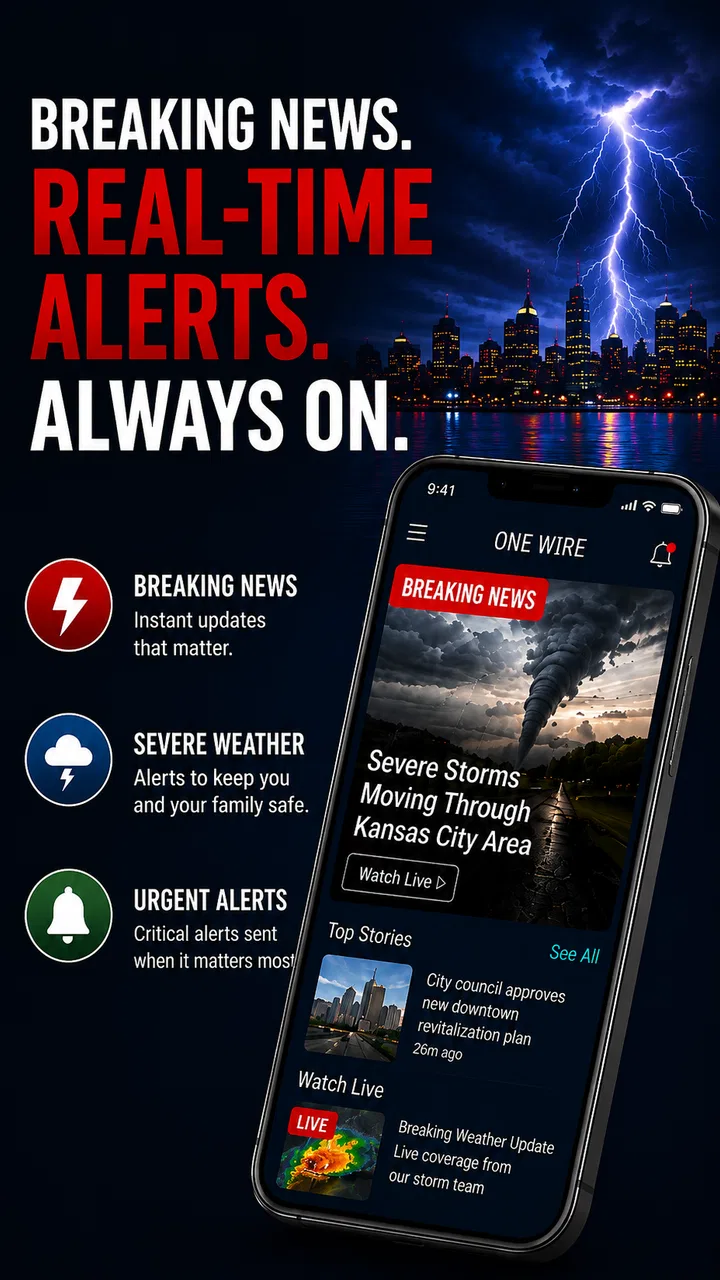
OneWire: Latest News & Alerts
- 4.5
- Rating
- 100.00K
- Installs
- Free
- Price

 Analysis by App-foxy
I like news apps that reduce the effort between opening my phone and understanding what is happening nearby. OneWire News takes that practical route by bringing together current news, local updates, and weather in one place. That combination sounds simple, but it matters on busy mornings: I can check the wider picture, see whether anything relevant is happening around me, and make a quick weather decision without jumping between several apps.
After spending time with it, I see this as a useful everyday reader rather than a replacement for every specialist news source. It is free, aimed at Everyone, and developed by AppSpark Group. The app has built a modest but meaningful audience, with more than one hundred thousand installs and a 4.2 average from roughly 450 ratings. Those figures suggest a service people find worthwhile, while also leaving room for differences in how well it fits each person’s location and reading habits.
Getting past the first points of friction
The first difficulty with a news-and-weather app is usually not reading an article; it is getting the app to show information that feels relevant. A reader may open OneWire News and wonder whether the local material is based on a selected area, the device’s location, or a broader regional feed. That uncertainty can make the home screen feel less useful than it should. My advice is to slow down during the initial setup and look carefully at any location or area choices instead of tapping through them automatically.
You May Also Like

 Blood Strike: 2.5 Anniversary
Blood Strike’s Loadouts Turn Every Drop Into a Tactical Gamble
A close look at Blood Strike’s custom loadouts: how fast access to signature weapons reshapes its battle royale rhythm, rewards preparation, and narrows the gap between fights.

 Pandora - Music & Podcasts
Pandora’s Music Is Easy to Start, but Harder to Recover
Pandora’s strength is its low-effort path from a seed to a station. Its weak spot is how much confidence it asks you to place in connection, setup, and quiet recovery.

 8 Ball Pool
 Is Built on Rivalries, Rematches, and Routine
A close look at the rivalries, rematches, shared routines, and unanswered safety questions that turn a quick pool match into a persistent mobile community.

 Samsung Music
’s Quiet Strength Is Playing What You Already Own
Its reach comes less from spectacle than from dependable access to a personal library. That simplicity is both the app’s strongest retention engine and its ceiling.

 AccuWeather: Weather Radar
AccuWeather Review: A Quick, Clear Forecast for Everyday Decisions
For everyday plans, the best forecast is the one you can understand quickly. AccuWeather makes rain timing, radar, and local conditions easy to act on, with a few trade-offs.

 Hill Climb Racing
Why Hill Climb Racing Still Turns Crashes Into One More Run
A tiny car, a bumpy hill and one more upgrade: Hill Climb Racing keeps resurfacing because its simple chaos makes every near-miss feel personal.
More From Our News Desk
View All News


Location relevance is especially important here because “local” news has a different value from general headlines. If the app is showing a nearby area that is too broad, the feed may contain stories that are technically close but not especially useful. If it is too narrow, important regional developments can be easy to miss. I would treat the first setup as a calibration step: choose the area you actually care about, then spend a few minutes checking whether the resulting stories and weather make sense for your normal routine.
Another common sticking point is expecting every headline to behave like a complete newspaper article inside the app. A news aggregator can be excellent for discovery while still directing attention toward individual stories and sources. I use the main feed to decide what deserves my time, not as a promise that every item will have identical depth, format, or local detail. That mindset makes the experience more predictable and helps explain why some headlines may feel more immediately useful than others.
The most important setup check is relevance, not speed. A feed that opens quickly but shows the wrong area is less valuable than one that takes a moment to configure correctly. I would also confirm that the weather location matches the place where I spend most of the day. People who commute, travel between towns, or split time between home and work should be particularly alert to this, because a single default location may not represent their whole day.
What I would check before blaming the app
When a headline list looks stale, the first thing I check is whether the phone itself has a reliable connection. News and weather depend on current information, so a weak mobile signal, restrictive network, or unstable Wi-Fi can make the app appear frozen even when the underlying issue is outside it. I normally switch between Wi-Fi and mobile data, reopen the app, and see whether the content refreshes before changing any settings.
I also check whether the device has enough free storage and whether other apps are behaving normally. A phone under heavy system pressure can make loading feel inconsistent across several applications. Closing unnecessary background apps and restarting the device are basic steps, but they are sensible because they distinguish a temporary phone problem from a repeatable OneWire News problem.
The app supports Android from version 8.0 onward, which makes it accessible to many older devices. That broad compatibility is helpful, but older phones can still differ greatly in memory, connection handling, and system power management. If the app opens but refreshes slowly on an older handset, I would compare its behavior after a clean restart rather than assuming the app is universally slow.
Permissions deserve a calm, practical review. I would grant only the access that clearly supports the way I want to use the app, especially when setting up local information or weather. If I prefer to keep location access limited, I would look for a manual area choice where available and then judge whether the resulting local coverage is good enough. The right balance depends on whether convenience or tighter control matters more to me.
A simple routine for recovering the daily news flow
My preferred workflow is to open the app once in the morning, scan the local and wider headlines, and then return later only when I want an update. This prevents endless refreshing and gives the app a clear role in my day. I look first for information that can change my plans, then for stories that need deeper reading. Weather is most useful at the point when I am deciding what to wear or whether to change a journey, rather than as background information I check repeatedly.
If the feed does not update, I avoid repeatedly tapping refresh. Instead, I close the app fully, confirm the connection, reopen it, and give the content a moment to load. If that does not help, I restart the phone and try again. These steps are deliberately ordinary: they solve temporary connection or memory issues without making risky changes to the device.
When one particular story will not open, I separate that problem from the rest of the app. If other headlines load normally, the issue may be with the individual article destination or its connection rather than the main OneWire News feed. In that situation, I return to the list, try another item, and avoid assuming the entire app has failed. This small distinction saves time and gives a clearer picture of what is actually broken.
I also find it useful to remember what I was doing immediately before the problem appeared. Did I move from Wi-Fi to mobile data? Did the phone enter a power-saving mode? Did I change location? Did the issue affect news, weather, or both? Keeping those details in mind makes troubleshooting more effective than simply reinstalling the app at the first sign of friction.
Reinstallation should be a later step, not the automatic answer. It can clear a damaged local state, but it may also remove personal setup choices and force me to configure the app again. Before taking that step, I would close and reopen the app, restart the phone, verify the network, and review the selected area. If the problem continues after those checks, reinstalling becomes a reasonable clean test rather than a guess.
Where the app fits beside familiar alternatives
Compared with a single newspaper app, OneWire News is more convenient for people who want a mixed overview. A newspaper application may offer stronger depth, a distinctive editorial voice, or better long-form reading, while this app’s appeal is the ability to combine news discovery, local awareness, and weather in one routine. I would choose the specialist publication when I already know which newsroom I trust for detailed reporting. I would choose OneWire News when I want to see what deserves attention before committing to a particular source.
It also differs from using a dedicated weather app alongside a separate news reader. Two specialist apps can provide more focused controls, richer history, or more detailed presentation. The trade-off is extra switching and a less unified morning check. OneWire News makes more sense for someone who values a compact overview and does not need highly technical weather information or a deeply customized news-reading system.
For local information, the quality of the experience depends heavily on whether the selected area matches the reader’s real interests. Someone who needs neighborhood-level alerts, highly specialized reporting, or official information for a particular service may still need dedicated local channels. I would use this app as a convenient first screen, then follow the original source when a story affects safety, travel, work, or an important personal decision.
The practical advantage is not that it replaces every alternative. It is that it reduces the number of places I need to check at the beginning of the day. The practical limitation is that convenience can come with less control than a collection of specialist apps. Readers should decide whether they prefer one balanced overview or several tools with narrower but deeper strengths.
Everyday scenarios where it earns a place
Imagine I am leaving home for work and have only a few minutes. I open OneWire News, scan the headlines for a major local development, check the weather for the area I selected, and decide whether I need extra travel time or different clothing. I am not trying to conduct a full research session. I am using the app as a quick decision-making layer, which is where its combined format feels most natural.
It can also help when I return to a city after being away. Rather than opening several regional pages, I can use the local feed to reorient myself, then read the stories that appear most relevant. This is particularly useful for casual awareness: I may not need every detail immediately, but I do want a sense of what has changed since I last checked.
Another good use is a shared household routine. One person can check the weather before the morning commute while another scans the local headlines. The app’s value in that situation comes from being easy to consult, not from demanding a long reading session. I would still verify important information through authoritative sources, but the initial overview can save time.
On the other hand, I would skip it as my only news source if I need a carefully curated specialist briefing, extensive article archives, or a particular publication’s complete coverage. I would also look elsewhere if my main goal is advanced weather analysis. OneWire News is strongest as a practical general-purpose starting point, not as a dedicated professional tool.
What the release and support picture tells me
The app was released on December 11, 2023, and the current version is 2.27.0. I see that version information as useful context rather than a guarantee of perfection. It indicates an actively versioned product, but a version number alone cannot tell me how well the app will perform on every phone or in every region. My own judgment would still come from whether the local feed is relevant, the weather location is correct, and refreshes behave reliably.
Because the app is free, the decision to try it is relatively easy. I can test it against my normal morning routine without committing to a subscription. The more important cost is attention: if the feed does not match my area or if I prefer a highly controlled reading experience, another app may serve me better even if it requires more setup or a different payment model.
The Everyone age rating also makes it suitable for a broad household audience. That does not mean every story will be equally appropriate for every moment; news naturally covers serious subjects. It simply means the app is positioned as a general news utility rather than a service restricted to adults. I would still use normal judgment when introducing any news feed to younger readers.
Its audience size and rating give me enough confidence to test it, but I would not treat popularity as proof that it is ideal for every location. Local relevance is personal. A reader in one area may find the mix timely, while someone elsewhere may see fewer useful updates. That is why the first few days should be treated as a practical trial: check the feed at the times you actually need it and judge the results against your current routine.
My practical verdict after using it
OneWire News is worth trying if I want a free, straightforward way to combine general news, local updates, and weather. I especially like the idea of using it as a first-stop dashboard: open it, understand the day’s context, and then move to a more specialized source only when a story deserves deeper attention. That workflow is faster than maintaining several separate checks.
My recommendation comes with a clear condition. I would spend time getting the location and local relevance right, and I would troubleshoot connection or device issues before deciding that the app is unreliable. If the feed remains useful after that short adjustment period, it can become a convenient daily habit. If it consistently misses the area or depth I need, forcing it into my routine would only add frustration.
For readers who want a single, lightweight news companion, the balance is appealing: no purchase is required, the app works with Android 8.0 and later, and its current version is 2.27.0. For readers who demand one trusted publication, highly detailed weather tools, or specialist local reporting, dedicated alternatives will probably be better. I see OneWire News as the middle ground—most valuable when I want a quick, practical overview before deciding where to look next.
FAQs for OneWire: Latest News & Alerts
01What is OneWire News and how does it work?
OneWire News is a mobile application designed to deliver personalized news content directly to your device. It aggregates news from various sources, allowing users to customize their feed based on interests and preferences. The app uses machine learning algorithms to recommend articles, ensuring that you stay informed on topics that matter most to you.
02Is OneWire News available on both Android and iOS platforms?
Yes, OneWire News is available for download on both Android and iOS devices. You can find it on the Google Play Store for Android users and the Apple App Store for iOS users. This ensures broad accessibility, allowing you to stay updated regardless of your device choice.
03Does OneWire News require a subscription or is it free to use?
OneWire News offers a freemium model. You can access a wide range of news articles for free, but there is also a premium subscription available. The premium version provides an ad-free experience, additional customization options, and access to exclusive content, enhancing your overall news consumption experience.
04How does OneWire News ensure the accuracy and reliability of its content?
OneWire News sources articles from reputable news outlets and employs a team of editors to verify content accuracy. Moreover, the app uses AI to filter out unreliable sources, giving you confidence in the credibility of the news you read. This commitment to quality helps maintain trust with its user base.
05Can I customize the types of news I receive on OneWire News?
Absolutely. OneWire News offers extensive customization options to tailor your news feed. You can select topics of interest, such as technology, politics, or sports, and the app will prioritize these in your feed. Additionally, you can adjust settings to receive notifications only for specific news categories, ensuring a personalized experience.
Pros
- User-friendly interface with easy navigation.
- Customizable news feed for personalized content.
- Real-time updates keep you informed instantly.
- Wide range of news categories available.
- Offline reading mode for convenience.
Cons
- Occasional ads can disrupt the experience.
- Limited regional news coverage.
- Some articles may require subscription.
- Notifications can be overwhelming at times.
- Certain features exclusive to premium users.

OneWire: Latest News & Alerts
Gallery